For Logitch G910 Keyboards
gKeyMapper - Bind g-Key under Linux
Remap the G1–G9 keys on your Logitech G910 keyboard.
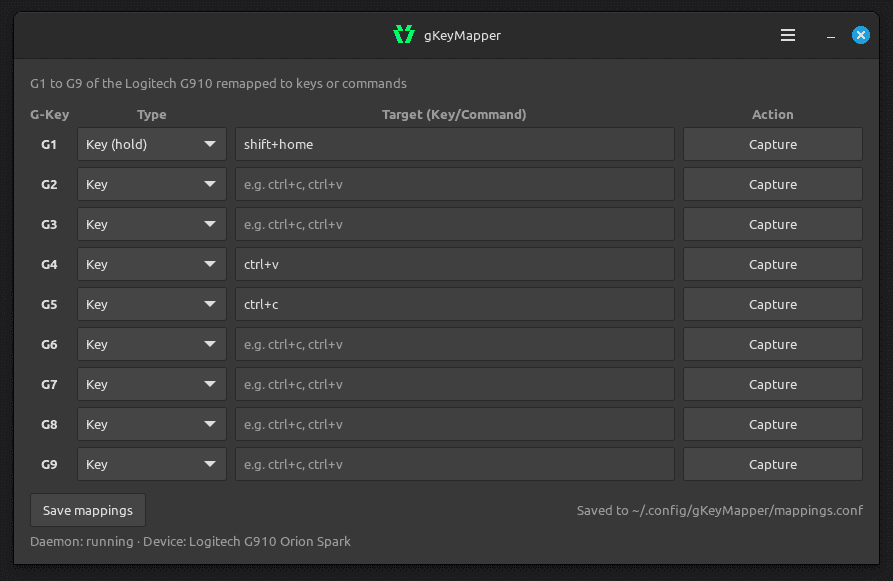
gKeyMapper lets you assign custom actions to the nine G-keys (G1–G9) of a Logitech G910 keyboard. Each key can trigger a keyboard shortcut, launch a program, be disabled, or act as a held key — all configured through a simple graphical interface.
Features
- Visual mapping editor — assign actions to all nine G-keys in one window
- Keyboard shortcuts — record key combinations by pressing them (e.g. Ctrl+C, Alt+Tab)
- Launch programs — run any application or command with a single G-key press
- Hold mode — keep a key pressed as long as the G-key is held
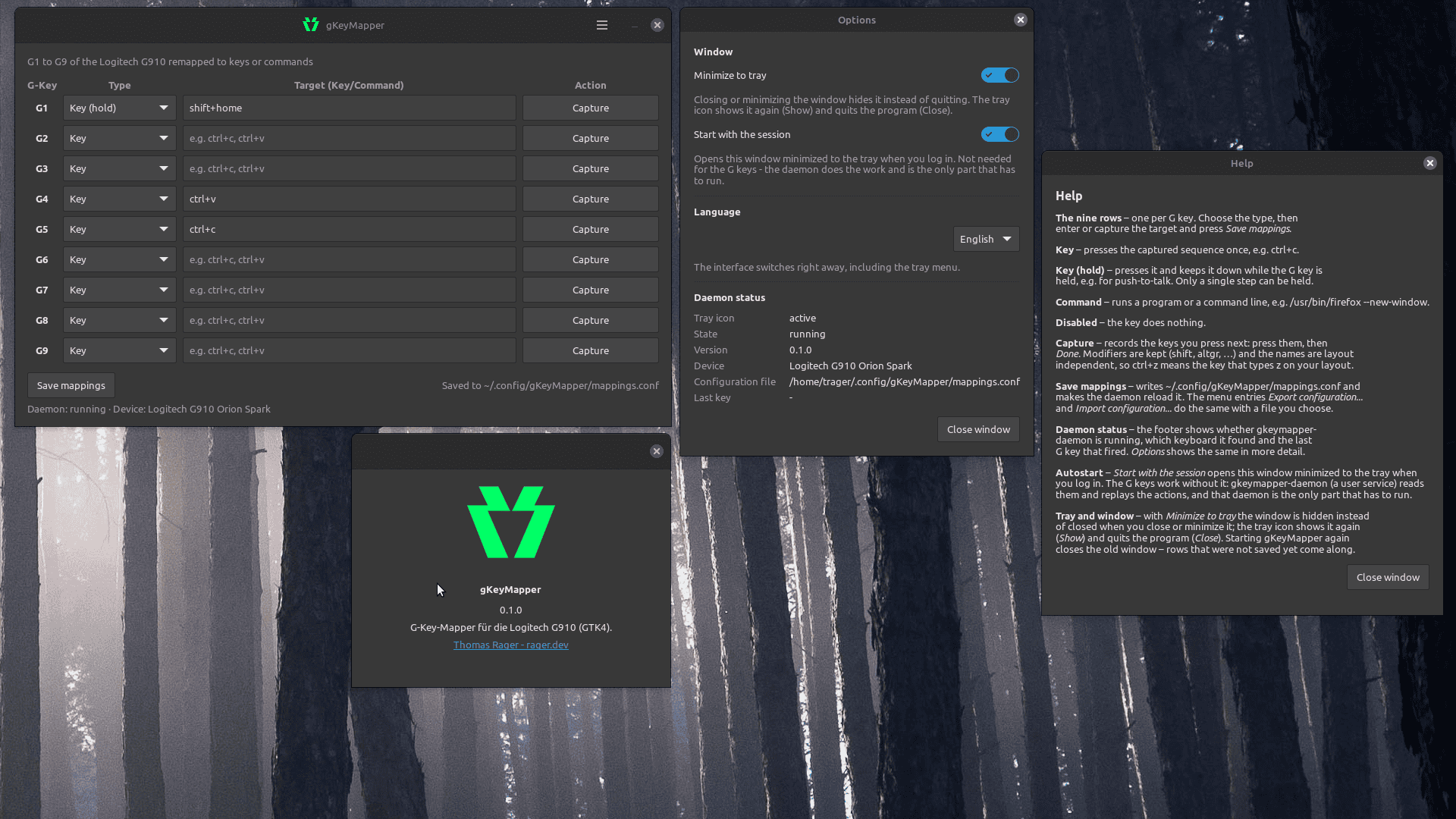
- System tray integration — minimize to the tray, quick access via menu
- Autostart — optionally start with your session, minimized to tray
- Multi-language — English, German, Spanish, French
- Runs as a background service — the daemon handles key detection; the GUI is just for configuration
Requirements
- Linux (X11)
- Logitech G910 keyboard
- GTK4, libusb, xkbcommon (installed automatically via package dependencies)
Installation
Debian / Ubuntu (.deb)
sudo dpkg -i gkeymapper_0.1.0_amd64.deb
The package installs everything including the background daemon and enables it automatically.
From source
sudo apt install \
    build-essential \
    gettext \
    libgtk-4-dev \
    libusb-1.0-0-dev \
    libxkbcommon-dev
make
sudo make install
How it works
- Open gKeyMapper from your applications menu
- For each G-key, choose a type (Key, Command, Disabled, or Key (hold)) and enter the target
- Click Save mappings
- The background daemon picks up the changes automatically
The daemon runs as a user service and starts with your session if autostart is enabled. G-key presses are detected even when the GUI is closed.
Download: deb
Source: https://nuc.ragersweb.de/gogs/thomas.rager/gKeyMapper
Size: 89 KB